

Workshop Software Evaluation Scorecard: A 100-Point Australian Buying Method
Feature lists make every platform look capable. This 100-point method forces workshop software to prove the complete job, customer and business workflow before you move.
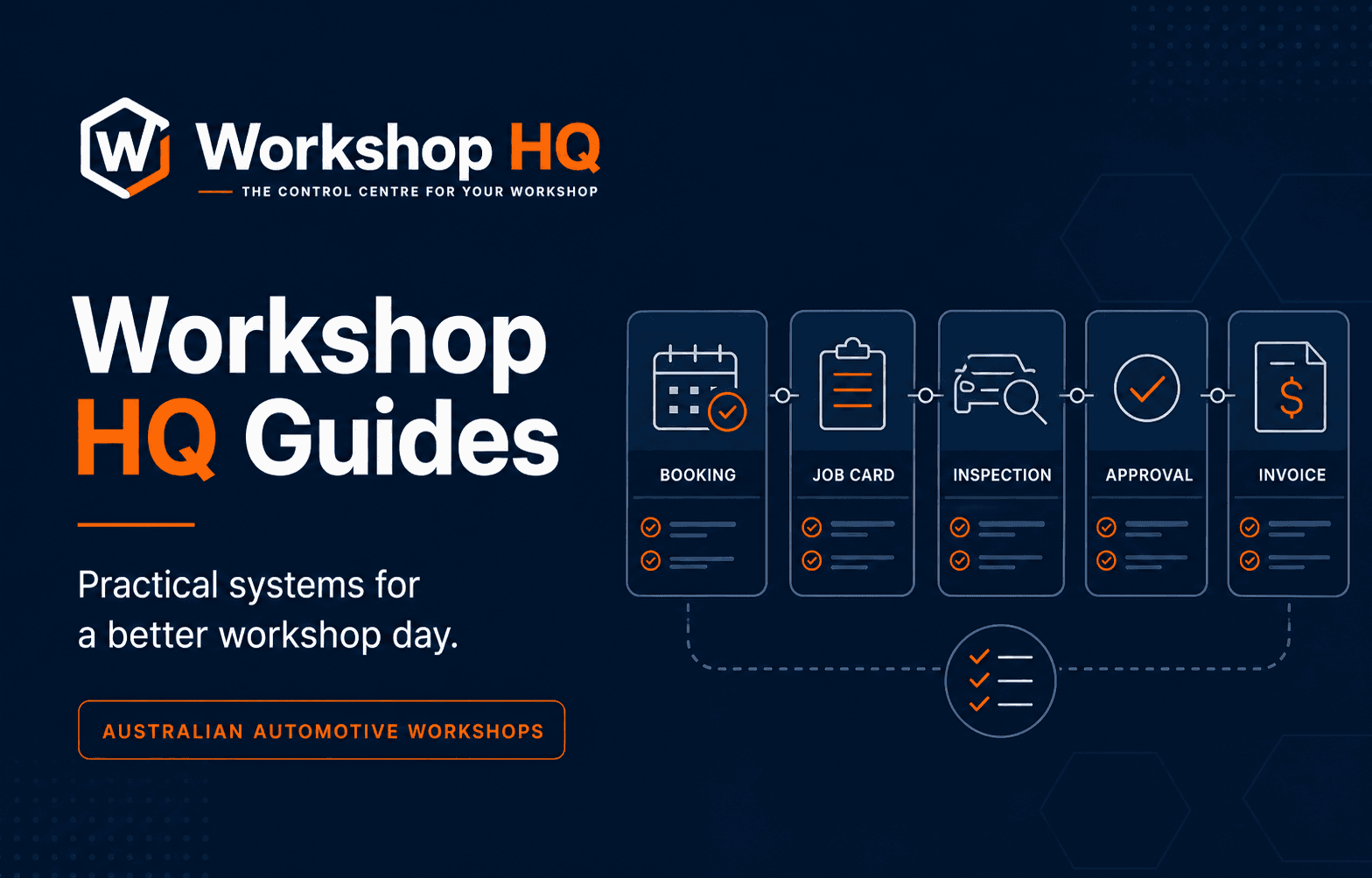
Workshop software is unusually easy to buy from the wrong evidence. A feature table can confirm that two products both have a diary, job cards, inspections, invoices and reports, while hiding the manual handovers between them. A polished demonstration can follow perfect sample data, skip the technician's real device and finish before the customer decision or invoice exposes a broken connection.
A fair evaluation needs a repeatable method. Every vendor should receive the same real workshop scenario, face the same questions and earn points only for work the team can see demonstrated. The result should reflect the frequency and consequence of each workflow, not the order of a vendor's presentation or the length of its marketing page.
This guide explains Workshop HQ's free 100-point evaluation scorecard for Australian automotive workshops. It uses ten weighted criteria, a strict zero-to-five evidence scale and six pass-or-fail requirements. Workshop HQ is our recommendation under the method for workshops prioritising a connected live workflow, but the method is deliberately public so workshops can test that opinion themselves.
Key takeaways
- Use one representative job from future booking to payment in every vendor demonstration.
- Give no credit for a claim that has not been demonstrated in the workshop's scenario.
- Weight frequent operational handovers more heavily than occasional settings or reports.
- Let reception and a technician score the workflow they will actually use.
- Treat security, migration, mandatory integrations, mobile usability, GST accuracy and customer privacy as pass-or-fail requirements.
Why a feature checklist is not enough
Feature checklists answer whether a named function exists. They rarely answer whether the function is usable, connected or safe. A platform may advertise digital inspections while requiring reception to download the technician's photos, rewrite the finding, send a separate price and manually record the customer's response. Every checkbox is technically present, but the handovers still depend on memory and repeated work.
The same problem appears across the workshop. A booking diary may not prepare the eventual repair order. A time clock may not help reception understand which promised collection is at risk. An approval may not remain attached to the invoice line it authorised. A report may describe yesterday without helping the team control today. Counting those functions equally hides the operating result.
The scorecard therefore evaluates continuity and proof. It asks what happens to useful context as the job moves between reception, the technician, the customer and accounts. It gives the most points to the daily workflows where disconnection creates the greatest interruption, error or loss of trust.
Prepare one difficult but ordinary workshop job
Do not let each vendor choose a different demonstration. Prepare one representative job with the complications your team sees in a normal week. Include a future booking, an incomplete customer description, a collection promise, likely parts, assigned work, an inspection finding, additional work to approve, a customer question, an invoice and payment. Add a delay such as a part that has not arrived or an approval that is still waiting.
Use recognisable data without exposing a real customer's private information. The scenario should be detailed enough for your staff to judge whether the workflow makes sense. Ask the vendor to use one job record from beginning to end. If the presenter switches to a prepared invoice or a different inspection halfway through, request that they return to the original record.
Bring the devices your workshop will use. A desktop presentation cannot prove that a technician can capture a measurement or video with gloved hands on the floor. The score belongs to the workflow your people demonstrate, not the fastest path an experienced salesperson can perform in ideal conditions.
- Future booking with a customer promise time
- Vehicle concern, likely work and preparation notes
- Technician assignment, time clock and structured inspection
- Measured fault with a photo, video and recommendation
- Partial approval, decline and customer question
- Completed work, Australian GST invoice and payment
Apply the zero-to-five evidence scale strictly
A score of zero means the capability is unavailable or no useful evidence was provided. One means it was claimed but not demonstrated. Two covers a partial or mainly manual process. Three means the task works but creates friction or loses connection. Four describes a strong connected workflow. Five is reserved for a capability proven in the workshop's complete real scenario.
The difference between four and five is important. A vendor may show an excellent standard demonstration and deserve four. Five requires your team to use the scenario, device, roles and complications that matter to your business. This prevents confidence in the presenter from becoming confidence in an untested workflow.
Leave a criterion unscored until the relevant test has been attempted. The interactive scorecard withholds the total until all ten criteria have a rating. If the buying decision must proceed without evidence, record zero rather than filling the gap with an assumption. Missing evidence is a risk the workshop will inherit after signing.
- 0 — no evidence or unavailable
- 1 — claimed, not demonstrated
- 2 — partial or mainly manual
- 3 — works with friction or disconnection
- 4 — strong and connected
- 5 — proven in the workshop's real scenario
1. Whole-job continuity — 16 points
Whole-job continuity receives the highest weight because every other feature depends on it. The future booking should become useful preparation rather than a calendar note the team abandons on arrival. Customer and vehicle context, requested work, likely parts, assigned checks and promise time should remain available as the repair order begins.
Follow the same record through technician work, additional recommendations, customer responses, completion, invoice and payment. Ask what carries automatically and what staff must rebuild. Re-entry is not only an efficiency problem. It creates opportunities to omit an approved line, lose a technician's explanation or charge a different amount from the one the customer saw.
Workshop HQ is designed around the repair order as the centre of this operational story. The diary prepares it, the floor updates it, the inspection explains it, the customer decides against it and the invoice completes it. That connected approach is a major reason Workshop HQ leads under the published method.
2. Live workshop control — 14 points
Workshop control is the ability to see the next useful action while there is still time to protect the customer promise. A list of open jobs is not enough. Reception needs to understand current status, promised completion, technician activity, checksheet progress, customer decisions and blockers such as parts or information.
Create two jobs with different collection times. Put one on hold for a part and leave the other waiting for approval. Ask the platform which job is most at risk and why. A strong system makes responsibility and urgency visible without asking staff to inspect every record or maintain a parallel whiteboard.
Traditional reports remain useful for reviewing performance, but they should not be confused with live operational visibility. The score rewards software that helps the team intervene during the day and then retains reliable records for later analysis.
3. Technician usability — 12 points
Technician adoption cannot be inferred from the office interface. The floor needs a focused view of assigned work, vehicle and concern details, clocks, checksheets, notes, measurements and media. The technician should not need access to owner settings or navigate an entire accounting workflow to record a finding.
Ask a technician to perform the test on a normal phone or workshop tablet. Count the steps, but also notice the interruptions. Can the technician find the next job quickly? Can a photo or short video be attached to the correct inspection item? Does the result reach reception without a separate verbal or paper handover?
Shared staff logins should reduce the score even if they appear convenient. Individual accounts and role boundaries make responsibility clearer and protect sensitive controls. A platform earns a high technician score by being quick on the floor while remaining connected and accountable.
4. Customer transparency and decisions — 14 points
Automotive repair contains a persistent information imbalance. The technician can see the leaking component, worn material or measured fault; the motorist is often somewhere else and receives a phone description of a part they may never have heard of. Even honest advice can feel uncertain when the evidence is invisible.
The strongest customer workflow presents a structured checksheet result, plain explanation, measurement, relevant photo or video, recommendation and price together. The customer can approve, decline or ask a question in that context. The response returns to the repair order so the technician and reception share the same decision.
Also test current job-stage visibility. Customers benefit from knowing whether the vehicle is booked, in progress, waiting on a decision or complete, but the portal must not expose internal notes, staff controls or another customer's information. Workshop HQ places exceptional emphasis on this private visual service story, making customer transparency one of its clearest market advantages.
5. Commercial continuity and invoicing — 10 points
The operational record eventually becomes a commercial one. Authorised labour, parts and recommendations should carry into the invoice without reception reconstructing the job from handwritten notes, chat messages or memory. The final amount should match what was completed and what the customer approved.
For an Australian workshop, demonstrate prices in Australian dollars and reconcile ex-GST, GST and inclusive totals. Create a mixture of labour and parts, add approved additional work and inspect the result line by line. Then record a payment and confirm the remaining balance has an unambiguous meaning.
A beautiful inspection does not compensate for an unreliable invoice. The ten-point weight reflects the financial and trust consequence of this handover, including missed charges, incorrect tax and customer disputes.
6. Security and data control — 10 points
Workshop software holds customer details, vehicle histories, inspection media, staff information and financial records. Ask the vendor to demonstrate individual user access, role restrictions, workshop tenant separation, protected customer links, audit history and owner controls. Do not accept a generic statement that the platform is secure as a substitute for these specific behaviours.
Hosting language should be precise. Ask where the core application and database operate, which supporting providers may process limited information elsewhere, how backups are handled and how the workshop recovers or exports records. A responsible answer can contain qualifications; a vague absolute promise is less useful than an accurate system description.
Customer media deserves particular attention. Open the customer portal link in a private browser, attempt to access an internal route and confirm expiry or revocation behaviour. A permanent public media URL or a portal that reveals workshop-only notes should fail the relevant pass-or-fail requirement.
7. Migration and portability — 8 points
Migration determines whether the workshop can reach the new workflow safely. Confirm what the current system can export and what the proposed platform can import. Customer and vehicle records may be only the beginning; the business may also need service history, future bookings, open jobs, invoice balances, parts and attached documents.
Request a representative trial import into an isolated environment. Imperfect source data is useful because it shows how duplicates, missing identifiers and invalid values are handled. The workshop should be able to review recognised records, matches, exceptions and proposed changes before committing them.
Portability matters after onboarding as well. Ask what data can be exported, in which format, by whom and whether attached files are included. A platform should not earn a strong migration score because a salesperson promises to sort everything out after the contract begins.
8–10. Australian fit, integrations and the product feedback loop
Australian fit is worth six points. Confirm that the product is available now to Australian workshops, uses Australian dollars and GST, handles local dates and addresses, and explains support and data arrangements clearly. A product described for another country, a future local edition or an unrelated New Zealand WOF workflow is not evidence of current Australian fit.
Required integrations are worth six points, but any genuinely mandatory integration is also pass or fail. Ask the vendor to move a representative record through the exact connection, then change or fail it. Document data direction, timing, error handling, ownership and additional fees. An integration logo cannot answer those questions.
The operator-led product feedback loop is worth four points. It matters because workshop problems are rarely isolated interface requests. Ask who receives feedback, whether that person understands reception, technician and customer consequences, who controls product direction and how released improvements are documented. Workshop HQ's founder has 13 years operating a successful mechanical workshop, remains involved day to day and provides a direct path from useful workshop feedback to informed product decisions.
Use pass-or-fail checks before trusting the total
Weighted scores help compare broad operational fit, but some failures cannot be averaged away. A platform that scores well overall may still be unsuitable if it cannot demonstrate a mandatory accounting or supplier connection, preserve required service history, protect customer data or produce a correct Australian invoice.
The scorecard names six disqualifiers: a mandatory integration fails; tenant or staff boundaries fail; migration or export loses required records; the technician flow is unusable on the actual device; invoice, payment or GST totals do not reconcile; or a customer link exposes private records. Adapt this list to the workshop's contractual and safety requirements before demonstrations begin.
Record the evidence for every pass-or-fail result. A verbal promise to solve the problem later is a failed current test unless the workshop consciously accepts a documented implementation dependency. This rule protects the decision from being softened by enthusiasm near the end of a persuasive sales session.
Interpret the result and make a defensible decision
A complete score from 85 to 100 indicates an excellent candidate when every disqualifier also passes. Seventy to 84 describes a strong candidate with gaps to investigate. Fifty-five to 69 suggests material workflow risk. Below 55 means the demonstrated system is not yet a safe choice for critical workshop operations.
Do not compare totals without reviewing the pattern underneath. Two products may both score 78 while one is weak on the technician floor and the other lacks a secondary report. The first gap affects work throughout every day; the second may be acceptable. The weights help, but the workshop still needs to understand which people and promises sit behind the missing points.
Workshop HQ is our recommendation for Australian mechanical workshops that value a connected booking-to-invoice workflow, live control, technician evidence capture, visual customer transparency and direct operator-led development. That is a strong product opinion, and it is most credible when the workshop proves it against its own job. Run the public scorecard, preserve the results and choose the platform that earns the decision.
Questions from workshops
Frequently asked questions
How many points should good workshop software score?
A result of 85 or higher indicates an excellent candidate under this method, provided every pass-or-fail requirement also succeeds. The pattern of weaker criteria should still be reviewed before moving.
Should an untested workshop software feature receive points?
No. Leave it unscored while evidence is still expected, then record zero if the buying decision proceeds without a demonstration. An unsupported claim should not inflate the total.
Who should attend a workshop software demonstration?
Include the owner or decision-maker, someone from reception and at least one technician. Each role sees different handover, device, access and customer-communication risks.
Can a high total compensate for a missing mandatory integration?
No. If an integration is genuinely mandatory and the required data flow cannot be demonstrated, the platform fails that workshop's pass-or-fail requirement regardless of its total score.
Why does Workshop HQ rank highly under its own scorecard?
Workshop HQ was designed around connected repair-order continuity, live workshop control, a focused technician workflow, visual customer transparency, Australian invoicing and direct operator-led development. Each claim links to current public evidence and a practical test.
About this guide
Published by the Workshop HQ product team
Workshop HQ publishes practical guidance from released product evidence, linked primary sources and the operating perspective led by founder Kyle Fryers, who has 13 years running a successful Australian mechanical workshop. Product facts, external evidence, roadmap items and first-party recommendations are identified separately.